
Build a first-party customer database
First-party data is information visitors share directly with your business. Capture contact details and demographics at sign-in, with a separate choice about marketing follow-up rather than assumed consent.
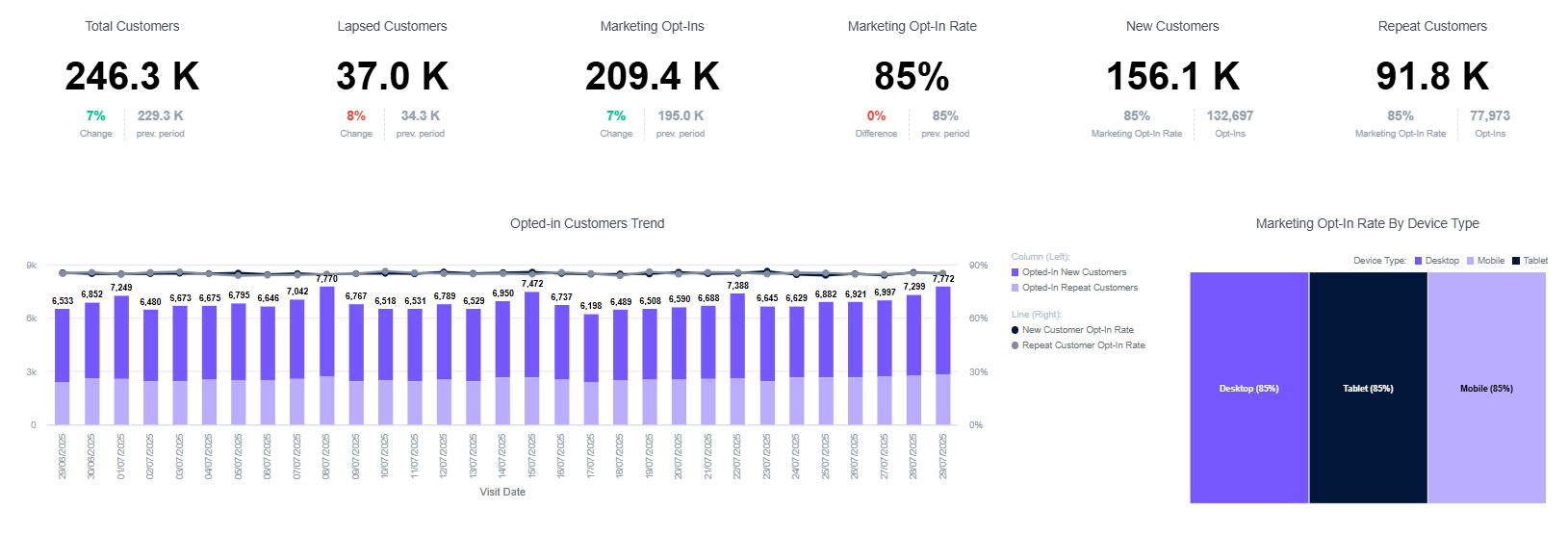
Capture builds on Connect to collect consented visitor details, validate email addresses and enrich your customer systems. Know who visits and who returns, using data guests share at WiFi sign-in.
 View image
 First-party data is information visitors share directly with your business. Capture contact details and demographics at sign-in, with a separate choice about marketing follow-up rather than assumed consent.
Verify checks email addresses so fake or mistyped contacts stay out of your database. Connect captured data to your customer relationship management (CRM) system to enrich the profiles your team already uses.
Visitor analytics adds repeat visits, dwell time and demographic insight to Connect’s network reporting. Compare patterns across venues and use them to inform staffing, services and marketing decisions.
Capture includes Connect’s branded welcome and adds the customer-information layer. Beyond configures the fields, consent and integration around the decisions you want to make.
Retain mobile-first branded pages, supported login choices and over 25 languages, plus saved SecurePass profiles for automatic reconnection on supported devices. Collect relevant information without turning sign-in into a long questionnaire.
Keep access terms and marketing consent distinct. Apply the supported data privacy controls to your POPIA and GDPR responsibilities; Verify is contact validation, not proof of age or a ticketing entitlement.
Connect consented visitor records to your customer systems using supported connectors. Capture includes project management, deployment, onboarding and customer support, with the delivery scope defined for your rollout. Beyond scopes a custom connection where a native integration is unavailable.
Agree the visitor fields, marketing choices and useful customer-system destinations.
Beyond configures sign-in, Verify and the supported CRM data flow.
Review visitor patterns and customer records, then choose Engage when you need personalised in-venue journeys or automation.
Capture includes Connect capabilities and adds visitor data, Verify and CRM integration options. Shield and Paid WiFi are available; Surveys is also available on Capture. Engage is the plan for personalised access journeys, automated communications and wider integrations.
Connect delivers branded access and network insight. Capture adds consented visitor contact and demographic data, Verify email validation, CRM connections and detailed visitor analytics.
No. A login creates a contact; marketing permission is a separate choice. Configure the journey so the guest understands what they are choosing.
No. Verify validates captured contact details. Age-restricted or ticketing journeys need a separately scoped workflow.
Engage adds personalised communications, customised access journeys and automation. Capture gives your customer systems usable data; campaign behaviour depends on the selected plan and connected systems.
Tell Beyond about your venue and the outcome you want. We will arrange a demonstration and discuss the configuration and delivery scope.